
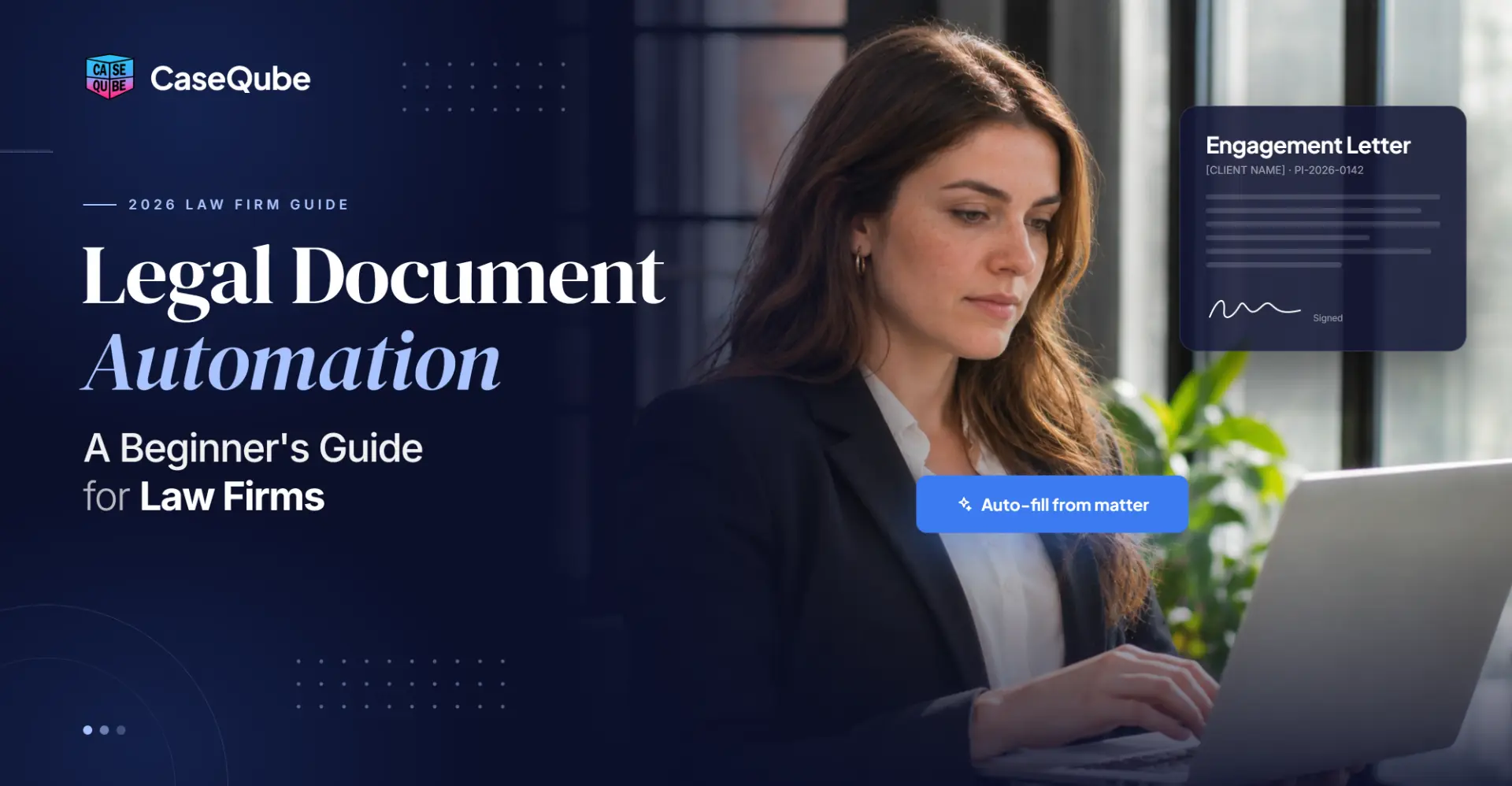
Legal Document Automation: A Beginner's Guide for Law Firms
On this page
- What Is Legal Document Automation?
- How Does Legal Document Automation Work?
- Document Assembly vs Document Automation vs Document Management
- Benefits of Legal Document Automation for Law Firms
- What Legal Documents Can Be Automated?
- How to Automate Legal Documents: A Step-by-Step Guide for Beginners
- Sample Legal Document Template (With a Filled-In Example)
- How to Review Automated Documents Before They Go Out
- AI and Legal Document Automation in 2026
- Is Legal Document Automation Secure? Ethics and Confidentiality
- How to Choose Legal Document Automation Software
- How CaseQube Handles Document Automation
- Frequently Asked Questions About Legal Document Automation
Every law firm has a set of documents it writes over and over: engagement letters, retainer agreements, welcome letters, status updates. The content barely changes from one client to the next. The names, dates and matter details do. Yet in many firms, someone still opens last month's version, types over the old client's details and hopes nothing gets missed.
Legal document automation fixes that. This guide explains what it is, how it works, which documents to automate first and how to set it up if your firm is starting from zero. You'll also find a sample template with a filled-in example, so you can see what an automated document looks like before and after.
What Is Legal Document Automation?
Legal document automation is the use of software to create legal documents from templates. Client and matter data fill those templates in automatically. You enter the information once, during intake or when you open a matter. The software then places it into every document that needs it.
Instead of retyping a client's name, address and case number into five different letters, you pick a template and click generate. The draft comes out with the details already filled in. An attorney reviews it, makes any changes and sends it.
Key Terms: Templates, Merge Fields and Conditional Logic
You'll see three terms again and again when you look into document automation for lawyers.
- Template: Your firm's standard version of a document, usually a Word file. The fixed text stays the same every time.
- Merge fields: Placeholders inside the template, such as {Client.Name} or {Matter.Number}. The software swaps them for real data when it creates the document.
- Conditional logic: Rules that add or remove text based on the facts. For example, "If the fee type is contingency, include the contingency fee paragraph. If it's hourly, include the hourly rate paragraph instead." Not every tool offers this, so ask about it when you compare software.
How Does Legal Document Automation Work?
Most law firm document automation follows the same basic flow.
- Data is captured once. Client and matter details are entered at intake, often through an intake form or questionnaire.
- The data is stored on the matter. Names, addresses, dates, case type and fee terms sit in one record.
- A template is chosen. Staff pick the right document, such as an engagement letter.
- The software fills in the fields. Every merge field is replaced with the matter's data.
- An attorney reviews the draft. Nothing should go out without a human check.
- The document is saved, sent or downloaded. It's stored on the matter so everyone can find it later.
The first step matters most. If your intake data is incomplete or messy, your documents will be too. Our guide to client intake best practices for mid-size law firms covers how to collect clean data from the start.
Document Assembly vs Document Automation vs Document Management
These three terms get mixed up a lot, so here's the difference in plain words.
Document assembly builds a document by putting pre-written clauses or sections together. It's common for contracts, where you choose which clauses to include. Many people use "assembly" and "automation" to mean the same thing.
Document automation is the broader idea. It fills templates with stored data and can be triggered by steps in your workflow, like converting an intake into a matter or reaching a settlement.
Document management is about what happens after a document exists: storing it, organizing it into folders, tracking versions and controlling who can see it.
Most firms need all three. You create documents with automation and assembly, then keep them organized with document management.
Benefits of Legal Document Automation for Law Firms
The main benefit is time. Firms also see fewer errors and more consistent work.
- Less retyping. Data entered once fills every document that needs it.
- Fewer errors. No more letters that still show the last client's name, or a matter number with two digits swapped.
- Consistent documents. Every attorney uses the same approved version, not their own copy saved on a desktop.
- Faster client onboarding. Engagement letters and welcome letters can go out the same day a client signs on.
- Easier training. New staff can produce correct documents without memorizing which version to use.
- Easier updates. When a law or firm policy changes, you update one template instead of hunting down every old copy.
Interest in this kind of technology is growing. According to the 2024 ABA Legal Technology Survey Report, as covered by the ABA Journal, 30% of responding lawyers use AI tools. That figure rises to 46% at firms with 100 or more attorneys and falls to 18% among solo attorneys. Just over half of respondents (54%) said AI helps them work more efficiently. Basic template automation is a simpler, lower-risk starting point than AI drafting, and many firms begin there.
What Legal Documents Can Be Automated?
Any document you write often, where most of the text stays the same, is a good candidate.
Legal Documents to Automate First
Start with documents that are high volume, low risk and almost identical every time:
- Engagement letters and retainer agreements
- Client welcome letters
- Case status update letters
- Letters of representation
- Medical records request letters
- Non-engagement and disengagement letters
- Fee agreements
- Settlement statements
These documents go out on almost every matter, so automating even two or three of them saves time every week.
Documents to Automate by Practice Area
- Personal injury: letters of representation, records requests, demand letter shells, settlement statements
- Family law: petitions, financial disclosure requests, parenting plan drafts
- Immigration: client questionnaires, cover letters, document checklists
- Insurance defense: initial reports to carriers, status reports, discovery shells
- Workers' compensation: claim letters, medical authorization requests, status letters
- Estate planning: simple wills, powers of attorney, healthcare directives
When Not to Automate a Document
Not everything should be automated. Skip or delay documents that:
- Are written from scratch each time, like a complex brief
- Have heavy, case-specific argument
- You write only a few times a year
- Your attorneys still disagree on the wording
If your team can't agree on what the standard version is, automating it will only spread the disagreement faster. Settle the wording first.
How to Automate Legal Documents: A Step-by-Step Guide for Beginners
You don't need to automate everything at once. Here's a simple way to start.
Step 1: List Your Most-Used Documents
Ask your team which documents they create most often. Check your matter files for the last three months. Pick three to five documents to start with.
Step 2: Agree on One Approved Version
Gather every version of each document your team uses. Have a partner or practice lead sign off on one standard version. This is often the hardest step, and also the most important.
Step 3: Mark the Information That Changes
Go through the approved version and highlight every detail that changes per client: names, addresses, dates, matter numbers, fee terms, attorney names. Each highlight becomes a merge field.
Step 4: Build the Template
Replace each highlighted detail with a merge field in your software. If your tool supports conditional logic, add rules for paragraphs that change based on the facts, like fee type.
Step 5: Make Sure Your Intake Collects Every Field
If a template needs a client's date of birth, your intake form must ask for it. Compare your templates with your intake form and close any gaps.
Step 6: Test With Real Matters
Generate each document for three or four past matters. Check every field and every paragraph. Fix anything that looks wrong before the whole team uses it.
Step 7: Train the Team and Name an Owner
Show staff where templates live and how to generate them. Name one person who owns the templates. That person approves changes, so you don't end up with five versions again.
Most firms can get their first few templates live within a few weeks. Add more once the team is comfortable.
Sample Legal Document Template (With a Filled-In Example)
Here's a simple engagement letter template, followed by the same letter after the software fills it in. Field names vary by software, so treat these as examples.
Engagement Letter Template
{Today.Date}

{Client.Name}
{Client.Address}

Re: Engagement for {Matter.Type}, Matter No. {Matter.Number}

Dear {Client.FirstName},

Thank you for choosing {Firm.Name} to represent you in your {Matter.Type} matter. {Attorney.Name} will be your lead attorney, and {Paralegal.Name} will be your main point of contact for day-to-day questions.

[IF Fee.Type = Contingency]
Our fee is {Fee.Percent} of any amount recovered. You will not owe attorney fees unless we recover money for you. Case costs will be repaid from the recovery, as explained in the attached fee agreement.
[END IF]

[IF Fee.Type = Hourly]
Our hourly rate is {Fee.Rate}. We ask for a retainer of {Fee.Retainer}, which will be held in trust and applied to your invoices.
[END IF]

Please sign and return the enclosed agreement by {Deadline.Date}. If you have questions, call us at {Firm.Phone}.

Sincerely,
{Attorney.Name}
Filled-In Example
November 10, 2026

Maria Lopez
418 Elm Street, Allentown, PA 18102

Re: Engagement for Personal Injury (Motor Vehicle), Matter No. PI-2026-0147

Dear Maria,

Thank you for choosing Hart & Cole LLP to represent you in your Personal Injury (Motor Vehicle) matter. Daniel Hart will be your lead attorney, and Priya Nair will be your main point of contact for day-to-day questions.

Our fee is 33.33% of any amount recovered. You will not owe attorney fees unless we recover money for you. Case costs will be repaid from the recovery, as explained in the attached fee agreement.

Please sign and return the enclosed agreement by November 17, 2026. If you have questions, call us at (610) 555-0182.

Sincerely,
Daniel Hart
This example uses a fictional client and firm.
The hourly paragraph disappeared because the fee type was contingency. Every other detail came from the matter record. The paralegal didn't type any of it.
How to Review Automated Documents Before They Go Out
Automation removes retyping. It doesn't remove the need for an attorney's review. Before any automated document is sent, check:
- Every filled field. Is the name spelled right? Is the matter number correct?
- Blank fields. An empty field usually means intake missed something.
- Conditional sections. Did the right paragraph appear for this client's facts?
- Dates and deadlines. Are they current and realistic?
- Tone and fit. Does anything about this client call for a change to the standard wording?
A short checklist like this takes a minute or two. It catches the problems automation can't.
AI and Legal Document Automation in 2026
Template automation and AI drafting are different things. Template automation fills your approved wording with known data, so the output is predictable. AI drafting tools write new text, which can be useful for first drafts but needs much closer review.
Lawyers are cautious about this for good reason. In the same 2024 ABA survey, three-quarters of respondents said concerns about AI hallucinations were why they had hesitated to adopt it. The ABA has also addressed generative AI directly in Formal Opinion 512 (2024), which covers competence, confidentiality and client communication when lawyers use these tools.
For most firms new to automation, the practical order is: automate your standard templates first, then try AI on lower-risk tasks like summarizing or sorting incoming documents.
Is Legal Document Automation Secure? Ethics and Confidentiality
Document automation software holds client names, addresses, case facts and fee terms. That makes security a real question, not a box to tick. Ask any vendor:
- Is data encrypted in transit and at rest?
- Do you hold a security certification, such as SOC 2 Type II?
- Can we limit access by role, so staff only see what they need?
- Is every action logged in an audit trail?
- Where is our data stored, and who at your company can access it?
Your ethical duties also stay the same when you automate. Under the ABA Model Rules, lawyers must keep client information confidential and understand the technology they use. An automated document is still the attorney's work product, so the attorney is responsible for what it says.
How to Choose Legal Document Automation Software
You have two main choices: a standalone document automation tool, or a case management system with document automation built in. Standalone tools can be strong for complex contract drafting. For most litigation and practice-area firms, built-in automation is simpler, because the data your templates need already lives on the matter.
When you compare options, check:
- Microsoft Word support. Can you turn your existing Word documents into templates?
- Field coverage. Can templates pull client, matter, intake and settlement data?
- Conditional logic. Can one template handle different fact patterns?
- Output formats. Can you generate both Word and PDF?
- Where documents go. Are generated documents saved to the matter automatically?
- Ease of use. Can staff build and update templates without IT help?
- Security. Encryption, role-based access, audit logs and certifications.
For a wider look at what to expect from case management platforms, see our guide to legal case management software.
How CaseQube Handles Document Automation
CaseQube's document generation turns your firm's existing Word documents into templates that fill themselves with client and matter data. Fields like {Client.Name} and {Matter.Number} pull from the matter record, along with addresses, key dates and intake answers.
Here's how it works in practice:
- Preview the filled document before you generate it.
- Generate it as a Word file or a PDF.
- Save it to the matter, email it to the client or download it.
- Generate documents from the matter, from intake or from the settlement.
Firms use it for retainers, engagement letters, welcome letters, status letters and personal injury settlement statements. Settlement statements come out as a PDF with fees, medical bills, liens and expenses already calculated.
CaseQube is SOC 2 Type II certified. Data is encrypted in transit and at rest, and access can be set by profile, role and field, with every action logged.
Want to see it with your own templates? Schedule a CaseQube demo.
Frequently Asked Questions About Legal Document Automation
What is legal document automation?
Legal document automation is software that creates legal documents from templates by filling in client and matter data automatically. You enter the details once, and the software puts them into every document that needs them. An attorney then reviews the draft before it goes out.
What is the difference between document assembly and document automation?
Document assembly builds a document by combining pre-written clauses or sections. Document automation fills templates with stored data and can be triggered by workflow steps. Many people use the two terms to mean the same thing.
What legal documents should a law firm automate first?
Start with documents you write on almost every matter and that barely change: engagement letters, retainer agreements, welcome letters, status letters and records requests. They're low risk and high volume, so you'll see time savings quickly.
How much time can document automation save a law firm?
It depends on how many documents you produce and how many fields each one has. The savings come from removing retyping and fixing fewer mistakes. A good way to measure it is to time how long a document takes today, then time it again after you automate it.
Do I need coding skills to automate legal documents?
No. Most legal document automation software lets you build templates in Microsoft Word by inserting merge fields. Conditional logic can take a little more setup, but it usually doesn't need coding.
How long does it take to set up legal document automation?
Most firms can get three to five templates live within a few weeks. The slowest part is usually agreeing on one approved version of each document, not the software setup.
Is legal document automation secure for client data?
It can be, if the software has the right protections. Look for encryption in transit and at rest, role-based access, audit logs and a security certification such as SOC 2 Type II.
Does automated drafting raise ethics concerns for lawyers?
The same ethics rules apply whether a document is typed by hand or automated. Lawyers must protect client confidentiality, understand the tools they use and review the final document. The attorney stays responsible for what the document says.
Can AI draft legal documents for law firms?
AI tools can produce first drafts, but they can also produce errors, so every AI draft needs careful attorney review. Template automation is more predictable because it uses your firm's approved wording. Many firms start with templates before trying AI drafting.
Is document automation worth it for small and mid-size law firms?
Yes, for most firms that send the same documents on every matter. Small and mid-size firms often have fewer staff, so removing repetitive typing frees up real hours. Starting with a few high-volume templates keeps setup small.
Ready to simplify your case management?
See how CaseQube keeps every matter, document, and deadline in one place.
Book a DemoRelated posts

Best Software for Insurance Defense Law Firms in 2026
Compare the must-have features in insurance defense software for 2026, from LEDES billing and UTBMS codes to budgets, carrier reporting and conflict checks.
 Ramit KaurNovember 10, 2026 · 12 min read
Salesforce for Law Firms: What It Can Do and What You Need to Add
Ramit KaurNovember 10, 2026 · 9 min read
Legal Case Management Software: Features, Costs and How to Choose (2026)
What legal case management software does, what it costs in 2026, the hidden fees to ask about, and a step-by-step way to choose the right system for your firm.
Ramit KaurNovember 3, 2026 · 13 min read