
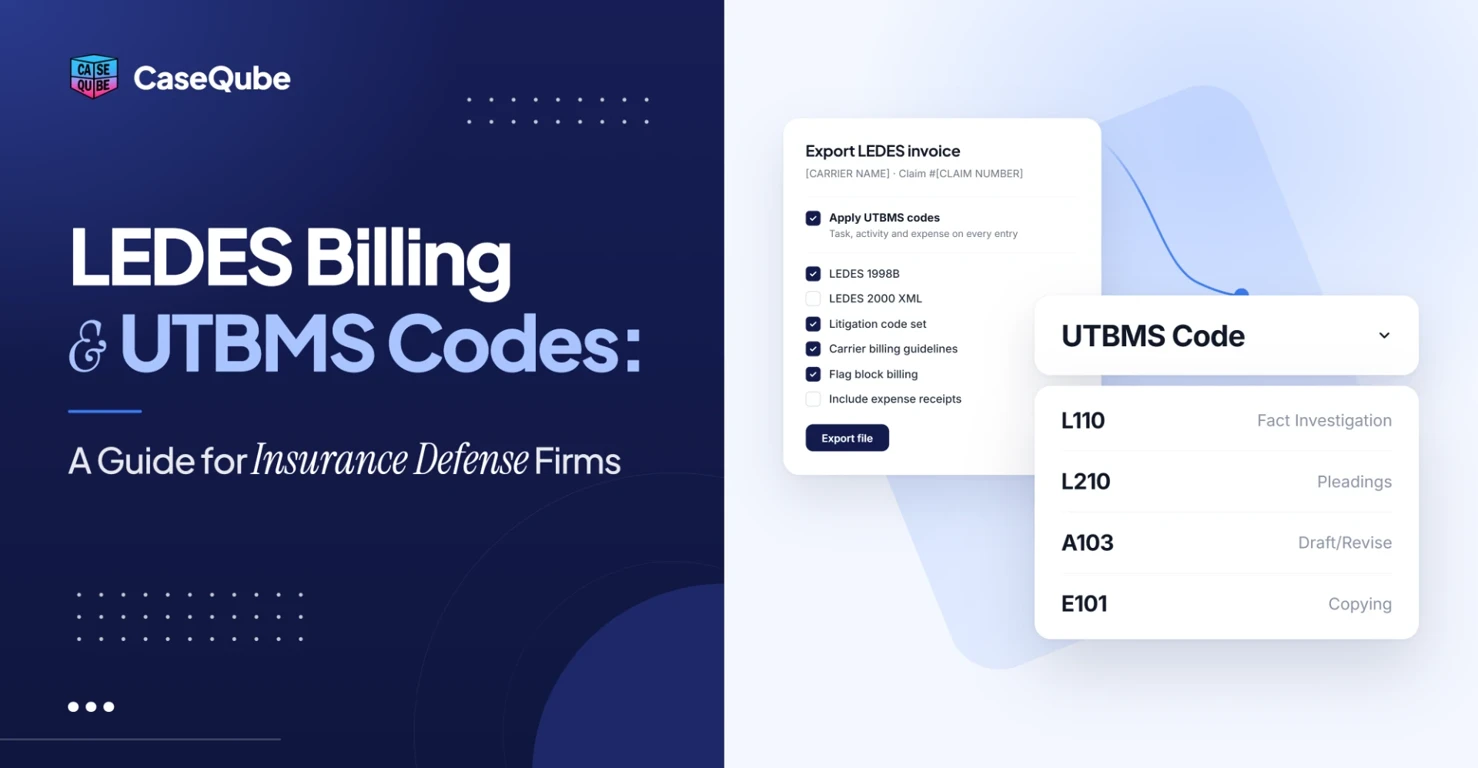
LEDES Billing and UTBMS Codes: A Guide for Insurance Defense Firms
Learn how LEDES billing and UTBMS codes work for insurance defense firms, with code tables, sample time entries and tips to avoid invoice rejections.
On this page
- Why Insurance Defense Billing Is Different
- What Is LEDES Billing?
- What Are UTBMS Codes?
- How LEDES, UTBMS and Carrier Guidelines Work Together
- LEDES File Formats
- What a LEDES 1998B Invoice Looks Like
- How a LEDES Invoice Moves From Time Entry to Payment
- Common Reasons LEDES Invoices Are Rejected
- Before and After: Fixing Common Time Entries
- Insurance Defense Billing Tips
- How CaseQube Handles LEDES Billing for Insurance Defense Firms
- Frequently Asked Questions
LEDES billing is the standard electronic file format that law firms use to send invoices to insurance carriers and corporate clients. UTBMS codes are the standard codes that label each line on that invoice: what phase of the case the work was in, what task it was, what kind of activity it was, and what type of expense was charged. For insurance defense firms, getting both right decides whether an invoice is paid in full, cut, or sent back.
This guide covers how LEDES billing and UTBMS codes work, the codes insurance defense firms use most, what a LEDES invoice looks like, why carriers reject invoices, and how to set up your billing so fewer lines come back.
Why Insurance Defense Billing Is Different
In most practice areas, the client who receives the work also pays the bill. Insurance defense is different. The firm represents the insured, but the insurance carrier pays the fees and sets the billing rules. This is often called the tripartite relationship.
That arrangement shapes how you bill:
- The carrier sends billing guidelines that say what it will and won't pay for.
- Invoices go through the carrier's e-billing system, where software and bill reviewers check every line.
- Each carrier has its own rules, and those rules change.
- The firm still owes its professional duty to the insured, even when a guideline limits what the carrier will pay. The ABA addressed this in Formal Opinion 01-421, which deals with lawyers working under insurer billing guidelines.
Because carriers review every line, small mistakes add up. A single vague description or a wrong code can reduce a line or reject it, and each correction delays payment on work you've already done.
What Is LEDES Billing?
LEDES stands for Legal Electronic Data Exchange Standard. LEDES billing means sending your invoice as a structured data file instead of a PDF. The carrier's e-billing system reads the file line by line and checks it against the carrier's rules.
The standard is maintained by the LEDES Oversight Committee, a group formed in 1995 by law firms, legal software vendors and corporate legal departments. Before LEDES, every firm's invoice looked different, and clients had to review each one by hand. LEDES gave everyone one format to send and receive.
A LEDES file includes the details a reviewer needs for every time or expense entry:
- invoice and matter numbers
- date of the work
- timekeeper ID, name and classification (partner, associate, paralegal)
- hours and rate
- line total
- UTBMS task, activity or expense code
- a written description of the work
What Are UTBMS Codes?
UTBMS stands for Uniform Task-Based Management System. It's a set of standard codes for classifying legal work and expenses. The codes were developed in the mid-1990s with the American Bar Association, and the ABA publishes the official code sets.
When people search for "LEDES billing codes," they usually mean UTBMS codes. LEDES is the file format. UTBMS is the coding system used inside it.
The litigation code set, which insurance defense firms use most, has four types of codes.
UTBMS Phase Codes
Phase codes show the stage of the case. In the litigation code set, they are:
| Code | Phase |
|---|---|
| L100 | Case Assessment, Development and Administration |
| L200 | Pre-Trial Pleadings and Motions |
| L300 | Discovery |
| L400 | Trial Preparation and Trial |
| L500 | Appeal |
UTBMS Task Codes
Task codes sit inside each phase and describe the specific task. These are the litigation task codes from the ABA's UTBMS litigation code set:
| Code | Task |
|---|---|
| L110 | Fact Investigation/Development |
| L120 | Analysis/Strategy |
| L130 | Experts/Consultants |
| L140 | Document/File Management |
| L150 | Budgeting |
| L160 | Settlement/Non-Binding ADR |
| L190 | Other Case Assessment, Development and Administration |
| L210 | Pleading |
| L220 | Preliminary Injunctions/Provisional Remedies |
| L230 | Court Mandated Conferences |
| L240 | Dispositive Motions |
| L250 | Other Written Motions and Submissions |
| L260 | Class Action Certification and Notice |
| L310 | Written Discovery |
| L320 | Document Production |
| L330 | Depositions |
| L340 | Expert Discovery |
| L350 | Discovery Motions |
| L390 | Other Discovery |
| L410 | Fact Witnesses |
| L420 | Expert Witnesses |
| L430 | Written Motions and Submissions |
| L440 | Other Trial Preparation and Support |
| L450 | Trial and Hearing Attendance |
| L460 | Post-Trial Motions and Submissions |
| L470 | Enforcement |
| L510 | Appellate Motions and Submissions |
| L520 | Appellate Briefs |
| L530 | Oral Argument |
UTBMS Activity Codes
Activity codes describe what the timekeeper actually did. Each time entry usually gets one task code and one activity code.
| Code | Activity |
|---|---|
| A101 | Plan and prepare for |
| A102 | Research |
| A103 | Draft/revise |
| A104 | Review/analyze |
| A105 | Communicate (in firm) |
| A106 | Communicate (with client) |
| A107 | Communicate (other outside counsel) |
| A108 | Communicate (other external) |
| A109 | Appear for/attend |
| A110 | Manage data/files |
| A111 | Other |
UTBMS Expense Codes
Expense codes classify costs you pass on to the carrier.
| Code | Expense | Code | Expense |
|---|---|---|---|
| E101 | Copying | E113 | Subpoena fees |
| E102 | Outside printing | E114 | Witness fees |
| E103 | Word processing | E115 | Deposition transcripts |
| E104 | Facsimile | E116 | Trial transcripts |
| E105 | Telephone | E117 | Trial exhibits |
| E106 | Online research | E118 | Litigation support vendors |
| E107 | Delivery services/messengers | E119 | Experts |
| E108 | Postage | E120 | Private investigators |
| E109 | Local travel | E121 | Arbitrators/mediators |
| E110 | Out-of-town travel | E122 | Local counsel |
| E111 | Meals | E123 | Other professionals |
| E112 | Court fees | E124 | Other |
Carriers often treat some expenses as overhead and refuse to pay them, such as word processing, fax and in-house copying. Others, like experts, investigators and out-of-town travel, often need approval before you spend the money. Check each carrier's guidelines.
How LEDES, UTBMS and Carrier Guidelines Work Together
The easiest way to understand insurance defense billing is to see the three pieces in order:
- Carrier billing guidelines set the rules. They say which timekeepers are approved, what rates apply, what billing increment to use, which tasks are not billable, and what needs approval.
- UTBMS codes label the work. Every time and expense entry gets the right codes.
- The LEDES file delivers the invoice. Your billing system exports the coded entries in the format the carrier requires.
A perfectly formatted LEDES file can still be rejected if the codes are wrong or an entry breaks a guideline. All three have to be right.
LEDES File Formats
LEDES isn't one format. The main versions are:
- LEDES 1998B. A plain text file where fields are separated by a pipe character ( | ). It has 24 fields and is the format most US insurance carriers ask for.
- LEDES 1998BI. An international version of 1998B with extra fields for things like tax and addresses.
- LEDES XML. Newer XML versions that carry much more detail, including multiple currencies and tax levels. These are used more by large corporate and international clients.
Most insurance defense firms will work with LEDES 1998B. Always confirm the format in each carrier's guidelines before your first invoice.
What a LEDES 1998B Invoice Looks Like
A LEDES 1998B file starts with a line that names the format, followed by a line of field names, and then one line for each time or expense entry. Each line ends with a pair of square brackets.
Here's what the key fields in one time entry might look like, shown as a table for readability. The firm, matter and rate details are made up for this example.
| Field | Example value |
|---|---|
| INVOICE_NUMBER | 2026-1045 |
| LAW_FIRM_MATTER_ID | 4471-012 |
| LINE_ITEM_DATE | 20261012 |
| EXP/FEE/INV_ADJ_TYPE | F (fee) |
| TIMEKEEPER_ID | 103 |
| TIMEKEEPER_CLASSIFICATION | AS (associate) |
| LINE_ITEM_NUMBER_OF_UNITS | 1.2 |
| LINE_ITEM_UNIT_COST | 175.00 |
| LINE_ITEM_TOTAL | 210.00 |
| LINE_ITEM_TASK_CODE | L350 |
| LINE_ITEM_ACTIVITY_CODE | A103 |
| LINE_ITEM_DESCRIPTION | Drafted motion to compel plaintiff's responses to second set of interrogatories |
You don't build this file by hand. Your billing software creates it from your time entries. But knowing the fields helps you see why every entry needs a timekeeper, a rate, codes and a clear description.
How a LEDES Invoice Moves From Time Entry to Payment
- An attorney or paralegal records time on a matter and adds the UTBMS task and activity codes.
- Billing staff review the entries before the invoice goes out.
- The billing system creates the invoice and exports it as a LEDES file.
- The firm uploads the file to the carrier's e-billing system.
- The system checks every line against the LEDES format and the carrier's rules. A bill reviewer may also review it by hand.
- Lines that pass are approved. Lines that fail are reduced or rejected, and the firm can fix and resubmit them or appeal.
Problems caught at step 1 or 2 cost almost nothing to fix. Problems caught at step 5 delay payment and often mean the money is lost.
Common Reasons LEDES Invoices Are Rejected
Block Billing
Block billing means putting several tasks in one entry with one total time. Most carrier guidelines don't allow it, because the reviewer can't see how long each task took.
Vague Descriptions
Entries like "research," "review file" or "attention to file" don't tell the reviewer what was done or why. Carriers often reduce or reject them.
Wrong or Missing Codes
A missing task code, or a code that doesn't match the work, will get flagged. For example, coding a dispositive motion as L250 (Other Written Motions) instead of L240 (Dispositive Motions), or coding deposition prep under L200 instead of L330.
Unapproved Timekeepers or Rates
If a timekeeper isn't approved on the matter, or the rate on the invoice doesn't match the approved rate, those lines are often rejected.
Clerical or Administrative Work
Many carriers won't pay for work they view as clerical, such as scheduling, organizing files, or filing documents. Billing it at a paralegal or attorney rate is a common cause of cuts.
Too Much Internal Communication
Carriers often limit time spent on conferences between people at the same firm (A105), especially when several timekeepers bill for the same meeting.
Expenses Without Approval or Receipts
Expenses that need pre-approval, or that are sent without receipts, are often rejected.
Wrong Billing Increment
Most carriers require billing in tenths of an hour (0.1). Some have minimums or limits for certain tasks, like reviewing a short email.
Going Over Budget
Many carriers ask for a budget early in the case. Invoices that go over the approved budget can be held until the budget is updated and approved.
Math or Format Errors
If line totals don't add up, dates are wrong, or the file doesn't follow the LEDES format, the whole invoice can be rejected before anyone reads a line.
Before and After: Fixing Common Time Entries
These examples show how to turn entries that get cut into entries that pass. The hours are for illustration.
Example 1: Block billing
| Before | After |
|---|---|
| 4.5 hrs. Research, draft motion to compel, call with insured. | 1.6 hrs, L350/A102. Researched case law on waiver of objections for untimely interrogatory responses. 2.4 hrs, L350/A103. Drafted motion to compel plaintiff's responses to second set of interrogatories. 0.5 hrs, L310/A106. Call with insured to review draft answers to plaintiff's interrogatories. |
Example 2: Vague description
| Before | After |
|---|---|
| 0.4 hrs, L120/A104. Review file. | 0.4 hrs, L120/A104. Reviewed plaintiff's medical records from treating orthopedist to assess claimed lower back injury. |
Example 3: Clerical work
| Before | After |
|---|---|
| 1.0 hrs, paralegal, L140/A110. Organized documents. | Remove from the invoice if the carrier treats it as clerical, or, if the guidelines allow it, describe the substantive work: "Indexed 340 pages of plaintiff's document production by issue for deposition prep." |
A good description says what you did, what document or person it involved, and why it mattered to the case.
Insurance Defense Billing Tips
Read Every Carrier's Guidelines Before You Start
Keep a summary for each carrier: approved timekeepers and rates, billing increment, non-billable tasks, items that need approval, budget and reporting deadlines, and the required LEDES format.
Set Up Each Carrier Once
Store each carrier's rules in your billing system so the right codes, rates and restrictions apply to every matter for that carrier.
Code Time When You Enter It
Ask timekeepers to choose the task and activity codes when they record time, not at month-end. They know what they did that day. Billing staff guessing weeks later is where errors come from.
Write Specific Descriptions
Use full sentences. Name the document, person or issue. Avoid one-word entries.
Track Budget Against Spend
Send a budget when the carrier asks for one, and check spending on each matter every month. Ask for a budget increase before you go over, not after.
Review Every Invoice Before It Goes Out
Run a pre-bill review to catch block billing, missing codes, wrong rates and clerical entries before the carrier sees them.
Track Rejections
Keep a log of every reduction and rejection by carrier and reason. Patterns show you which habits to fix and which guidelines your team keeps missing. You can also use this data alongside your other law firm KPIs, such as realization rate.
How CaseQube Handles LEDES Billing for Insurance Defense Firms
CaseQube for insurance defense firms is built to help firms meet carrier guidelines and reporting deadlines.
LEDES billing with pre-bill review. CaseQube supports hourly, flat fee, contingency and LEDES billing, with pre-bill review before invoices go out. Time and expenses logged on a matter go straight into invoices.
Billing codes that follow carrier guidelines. With Time & Expenses, timekeepers can tag time entries to billing codes as they record them, using timers, manual entry or AI prompts. Approval flows route time and expenses for review, and expenses can be logged with receipts attached.
Budget and spend tracking per matter. See spend on each matter against its budget, and use matter-based reports to view all time and expenses by matter.
Carrier-ready reporting. Carrier-ready reporting templates and automated case review checklists help your team meet reporting deadlines. Matter Management triggers deadlines, checklists and document templates automatically based on matter stage, and Document Generation builds reports and other documents from case data.
AI review of billing patterns. CaseQube's AI reviews billing patterns and flags unusual entries, low realization and matters that are underperforming. It also flags missing time entries. Every AI-assisted entry goes through the same review and approval as work entered by hand.
Security. CaseQube is built on Salesforce and is SOC 2 Type II certified. Data is encrypted in transit and at rest, and every action in the system is logged.
See how CaseQube works with your carriers' guidelines.
Schedule a demoFor more on how CaseQube organizes matters, see case management vs. matter management.
Frequently Asked Questions
What is LEDES billing?
LEDES billing is a standard way to send legal invoices as electronic data files instead of PDFs. LEDES stands for Legal Electronic Data Exchange Standard. The client's or carrier's e-billing system reads the file line by line and checks each entry against its billing rules.
What are UTBMS codes?
UTBMS codes are standard codes that classify legal work and expenses on an invoice. UTBMS stands for Uniform Task-Based Management System. The litigation code set includes phase codes (L100 to L500), task codes (such as L240 Dispositive Motions), activity codes (A101 to A111) and expense codes (E101 to E124).
What is the difference between LEDES and UTBMS?
LEDES is the file format used to send the invoice. UTBMS is the set of codes used to label each line inside that file. LEDES is the container, and UTBMS codes are part of what goes in it.
Are LEDES billing codes the same as UTBMS codes?
Yes. "LEDES billing codes" is a common name people use, but the codes on a LEDES invoice are UTBMS codes. The ABA publishes the official UTBMS code sets.
What is LEDES 1998B?
LEDES 1998B is the most common LEDES format in the US. It's a plain text file with 24 fields, separated by the pipe character ( | ), with one line for each time or expense entry. Most insurance carriers ask for it.
Why do insurance carriers require LEDES billing?
Carriers handle invoices from many defense firms. LEDES lets their e-billing systems check every line automatically against their guidelines, compare costs across firms and matters, and track spending on each claim.
What are the most common reasons LEDES invoices are rejected?
The most common reasons are block billing, vague descriptions, wrong or missing UTBMS codes, unapproved timekeepers or rates, clerical work, too much internal communication, expenses without approval or receipts, and math or format errors.
What is block billing and why do carriers reject it?
Block billing is listing several tasks in one time entry with a single total time. Carriers reject it because the reviewer can't tell how much time went to each task or check whether each task was reasonable.
Do all insurance carriers use the same billing guidelines?
No. Most carriers use the same UTBMS litigation code set, but each one has its own guidelines on rates, approved timekeepers, billing increments, non-billable tasks and approvals. Firms need to follow each carrier's rules separately.
Can you convert a PDF invoice to LEDES format?
Yes, but it's slow and error-prone. You can type the invoice data into a LEDES file by hand or use software that reads the PDF and converts it. It's far easier to record time with UTBMS codes from the start and have your billing software export the LEDES file.
Related posts
Personal Injury Demand Letter: Strategies and Tips for Writing One That Gets Results
 Ramit KaurOctober 21, 2026
Law Firm KPIs: The Essential Metrics Every Firm Should Track in 2026
The law firm KPIs that matter in 2026, with formulas and examples. Utilization, realization, collection rate, profit margin, case cycle time, and KPIs for contingency firms.
Ramit KaurOctober 21, 2026 · 9 min read
Best Personal Injury Practice Management Software for 2026
Ramit KaurOctober 21, 2026